
Best Calculator Builders Compared: What to Use and When
Online calculators have quietly become one of the highest-ROI “interactive blocks” you can add to a website. A good calculator does three things at once: it answers a real question (“how much will it cost?”), it moves the visitor toward a decision (“I’m ready to book / request a quote”), and it captures structured data you can actually use (budget, size, preferences, timeline).
But “calculator builder” can mean very different products:
- a dedicated calculator + form builder you embed anywhere,
- a marketing funnel platform that happens to include calculators,
- a form builder with calculation widgets,
- or a custom-coded calculator maintained by developers.
This guide helps you choose the right category for your goal-so you don’t overpay for features you’ll never use (or pick a tool that can’t handle your logic).
The 60-second decision framework
Before you compare tools, decide which of these four scenarios you’re really in:
- You need a simple quote / estimator (service pricing, renovations, shipping, hourly work).
- You need lead generation with segmentation (recommendations, “find your plan,” qualification).
- You need order + payment flows (totals, add-ons, deposits, checkout handoff).
- You need complex logic and data handling (multi-step, conditional branching, calculations that depend on many inputs, integrations that must be reliable).
Your “best” tool is the one that supports your scenario with the least friction – especially around embedding, branding, and integrations.
A practical comparison (categories that actually matter)
Category | Best for | Strengths | Watch-outs |
Dedicated calculator builders | Most business calculators you embed on a site | Purpose-built editor, reusable templates, embed on many platforms | Limits may apply (forms/pages/notifications/impressions) depending on plan |
Marketing funnel/interactive platforms | Lead gen campaigns, quizzes + calculators together | Strong for conversion flows, analytics, personalization | Often priced for marketing teams, can be “too much platform” |
Form builders with calculation widgets | Simple totals, invoices, internal workflows | Fast setup if you already use the form builder | Calculations can be “widget-level,” design/UX may feel like a form |
Custom development | Unique UI + complex logic + full control | Unlimited flexibility | Higher cost, ongoing maintenance, slower iteration |
uCalc sits in the “dedicated calculator builders” camp and is positioned around building calculators/forms and embedding them on essentially any website via universal embed code.
When a dedicated calculator builder is the best choice
Choose this category if you want calculators to live as a long-term asset on your site (not a one-off campaign), and you care about:
- Embedding anywhere (your CMS, landing pages, Webflow, WordPress, etc.)
- A clean calculator-first UX (not “this looks like a form”)
- Logic + multi-step flows without engineering
Lead capture + notifications that plug into your workflow

Example fit 1: uCalc - Website Calculator Builder (embed-first, practical workflows)
If your priority is “build it, save it, embed it wherever,” uCalc explicitly leans into universal embedding and cross-platform installation guidance. It also offers multiple subscription tiers (Basic/Standard/Pro) and a trial period, which is useful if you want to validate limits and workflows before committing.
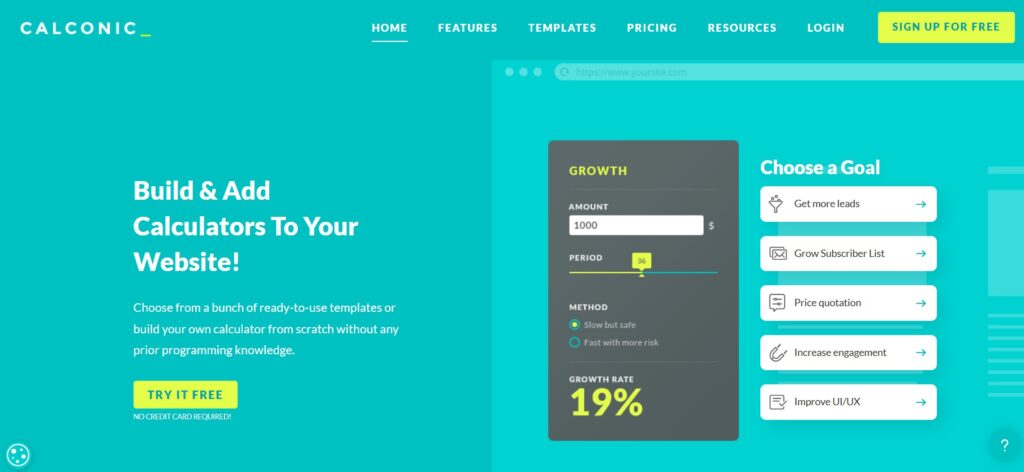
Example fit 2: Calconic (template-first, calculator-specific)
Calconic is a well-known dedicated calculator builder with templates and a “build and add calculators to your website” positioning. It also supports a free plan and a 14-day trial concept (you trial premium features, then fall back to a free plan).
Pick a dedicated builder when your calculator is part of your core site journey: pricing pages, service pages, booking pages, product pages, or evergreen SEO pages.
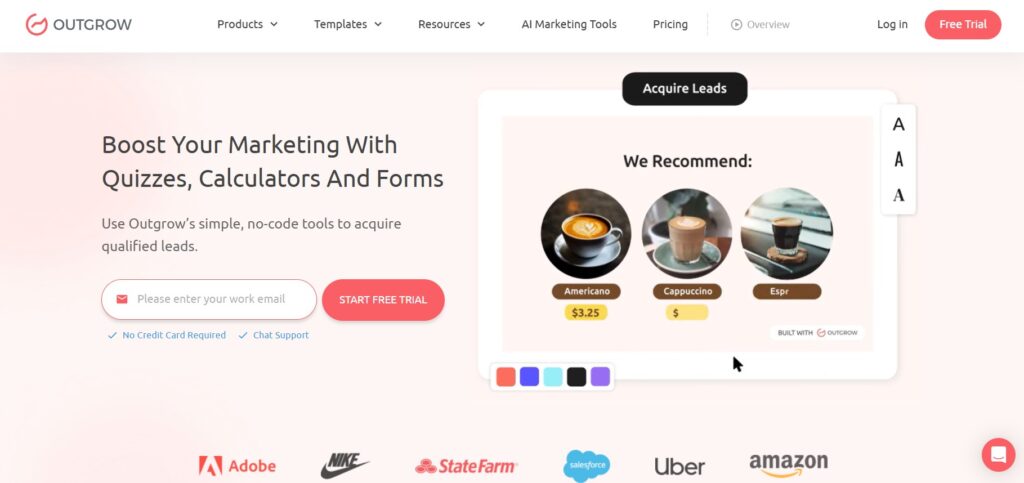
Example fit 3: Outgrow (interactive content platform)
Outgrow positions itself as a broader interactive content toolset (quizzes, calculators, chatbots, polls) for lead generation. Pricing in this category can vary widely depending on plan and source, but the consistent theme is: you’re paying for a marketing platform, not “just calculators.”
Pick a funnel platform when the calculator is tightly connected to campaign performance, segmentation, and a higher-touch marketing workflow.
The “hidden” selection criteria most buyers forget
Regardless of tool category, these factors decide whether the calculator becomes an asset-or a headache:
1) Distribution: where will it live?
If you embed calculators across multiple site sections, choose an embed-first tool and validate that it’s designed for broad platform compatibility. uCalc’s universal embed framing is directly aligned with this need.
2) Limits that affect growth
Many builders gate value behind limits: number of published calculators/forms, notifications, views/impressions, or advanced logic. Confirm what each tier includes and how upgrades work (uCalc publishes its tier structure and trial availability).
3) Logic complexity
A “simple estimator” can turn into a multi-step flow in two iterations. If you foresee conditional branching, multi-step UX, optional add-ons or result explanations, pick a tool that won’t force you into awkward workarounds later.
4) Lead handoff and integrations
At minimum you want reliable email notifications and a way to route data into a spreadsheet/CRM. The best tool is the one that matches your actual workflow, not the one with the longest integrations list.
5) UX polish and trust
People submit pricing inputs only if they trust the interface. Branding control, clean layouts, and clear result screens often matter more than “20 extra features.”
Which one should you choose? Use-case mapping
- Local services (repairs, renovation, cleaning, legal, moving): dedicated calculator builder.
- B2B lead gen (qualification, “find your plan,” ROI/savings): marketing funnel platform.
- E-commerce totals / invoice math inside a form flow: form builder with calculation widget.
- Highly unique logic or UI + internal systems: custom development (or a tool that supports advanced logic + robust embedding).
If you want one practical default for most “website calculators” in 2026, start with a dedicated builder, publish 1–3 calculators, embed them on your highest-intent pages and only move up to a funnel platform if you truly need campaign-grade interactive experiences.